Order
What’s new in Stata’s Graphical User Interface
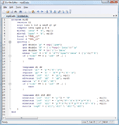
Do-file Editor
|
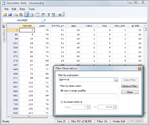
Data Editor
|
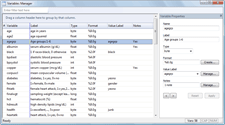
Variables Manager
|
You may already have read about Stata’s all-new Variables Manager and
redesigned Do-file Editor and Data Editor. For those keeping score,
here is a complete list of what’s new in Stata’s GUI:
- The new Variables Manager is the one-stop place to go to manage
your variables. Read more here.
- Another highlight is the new Data Editor, a live view onto your data.
Read more here.
- The Do-file Editor is all new under Windows and provides
syntax highlighting and code folding.
Read more here.
- You will quickly notice that Stata’s Result window now has a white
background by default. Stata has several new color schemes, and the
white one is called Standard. What was the default in Stata 10 is called
Classic, so if you want it back, select Edit -> Preferences ->
General Preferences and change the scheme for the Results window to
it. You can try the other schemes or make your own and save it in
Custom 1, Custom 2, or Custom 3.
- In Stata for Windows, you can now choose among five different default
layouts for the overall size and position of Stata’s windows or,
just as previously, you can make your own. Select Edit -> Preferences ->
and pick a layout. In addition to layout Factory
Settings, available are Compact Window Layout and three Presentation
layouts optimized for different projector resolutions.
- Output scrolling in the Result window is now significantly faster.
In addition, the upper limit of set scrollbufsize has been
increased to 2,000,000.
- Stata for Unix now supports copying graphs to the clipboard in bitmap format.
- Stata for Mac now supports copying graphs to the clipboard in PDF format.
- Stata for Mac's graphical user interface (GUI) has been
completely rewritten in Apple's Cocoa programming interface.
- Stata for Mac is now available as a universal binary that runs
natively on 32-bit Intel- or PowerPC-based Macs and 64-bit Intel-
based Macs to deliver optimal performance for all three
architectures in a single package.
Back to highlights

;)
;)
;)


